
Forty tabs, three projects, one glance.
MillionTabs sorts your open tabs into your own groups, puts what matters now on top, and keeps every closed tab one search away.


How it works
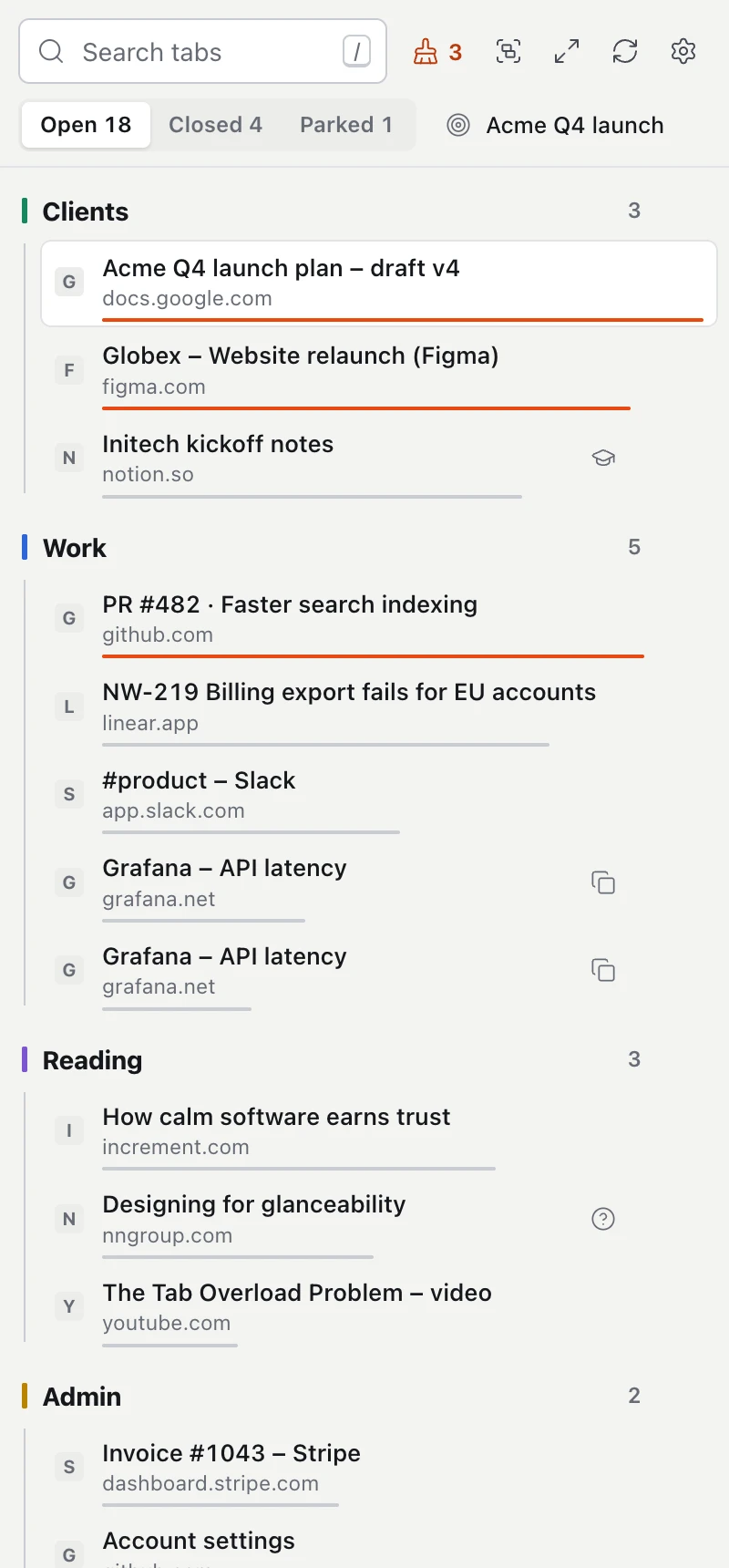
MillionTabs lives in your browser’s side panel, right next to the page you are reading. It needs three things from you: your groups, your priorities and the occasional correction.
-
1
You set up your groups
Clients, projects, reading, personal: you name the groups the way you work. MillionTabs files every open tab into one of them.
-
2
What matters is on top
In each group, the tabs you used last and the ones that fit your priorities come first. The orange line means: look here first.
-
3
It learns from your moves
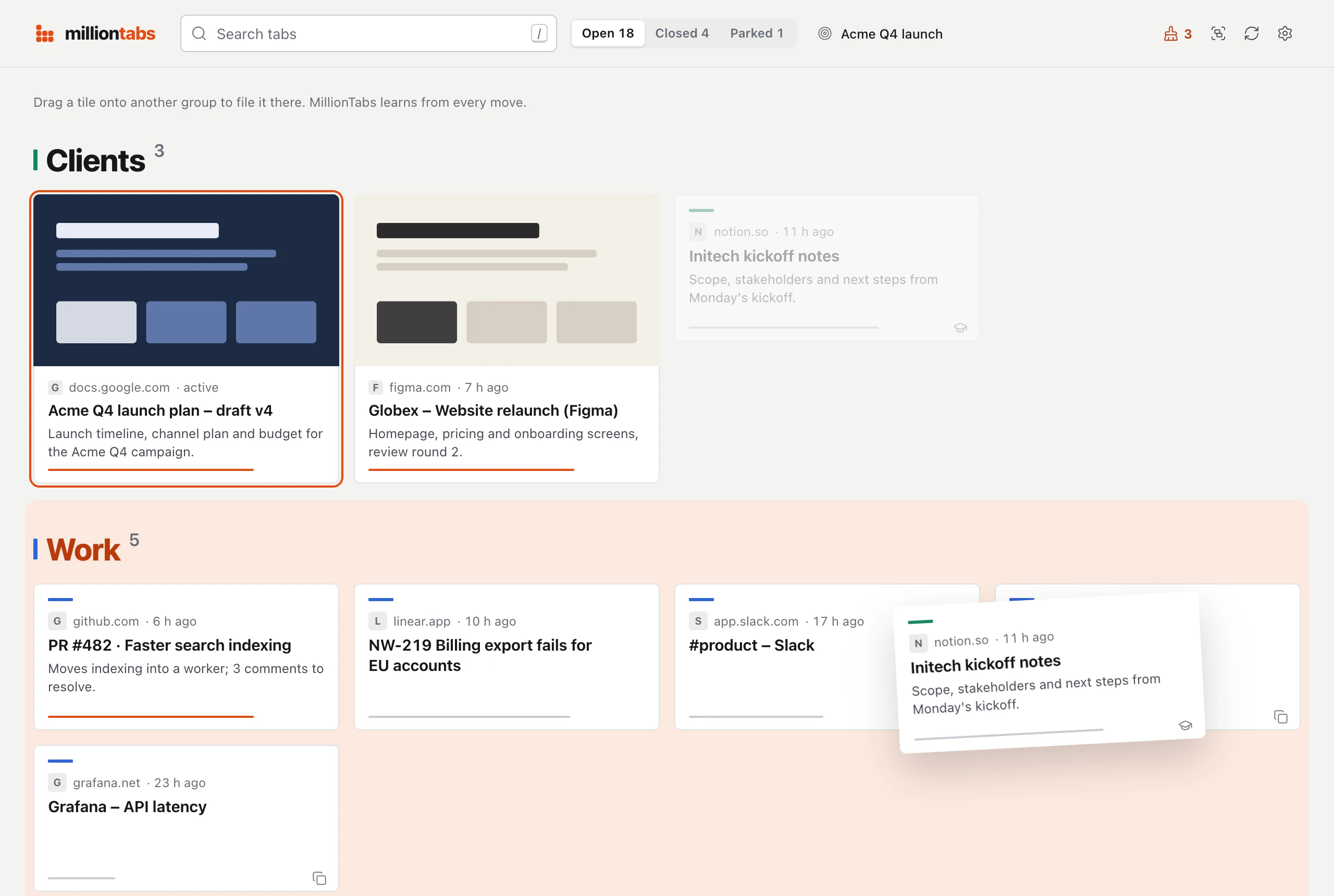
Drag a tab into another group and MillionTabs keeps it as an example. Move pages from the same site into the same group twice, and the whole site goes there from then on.
What you can do 5
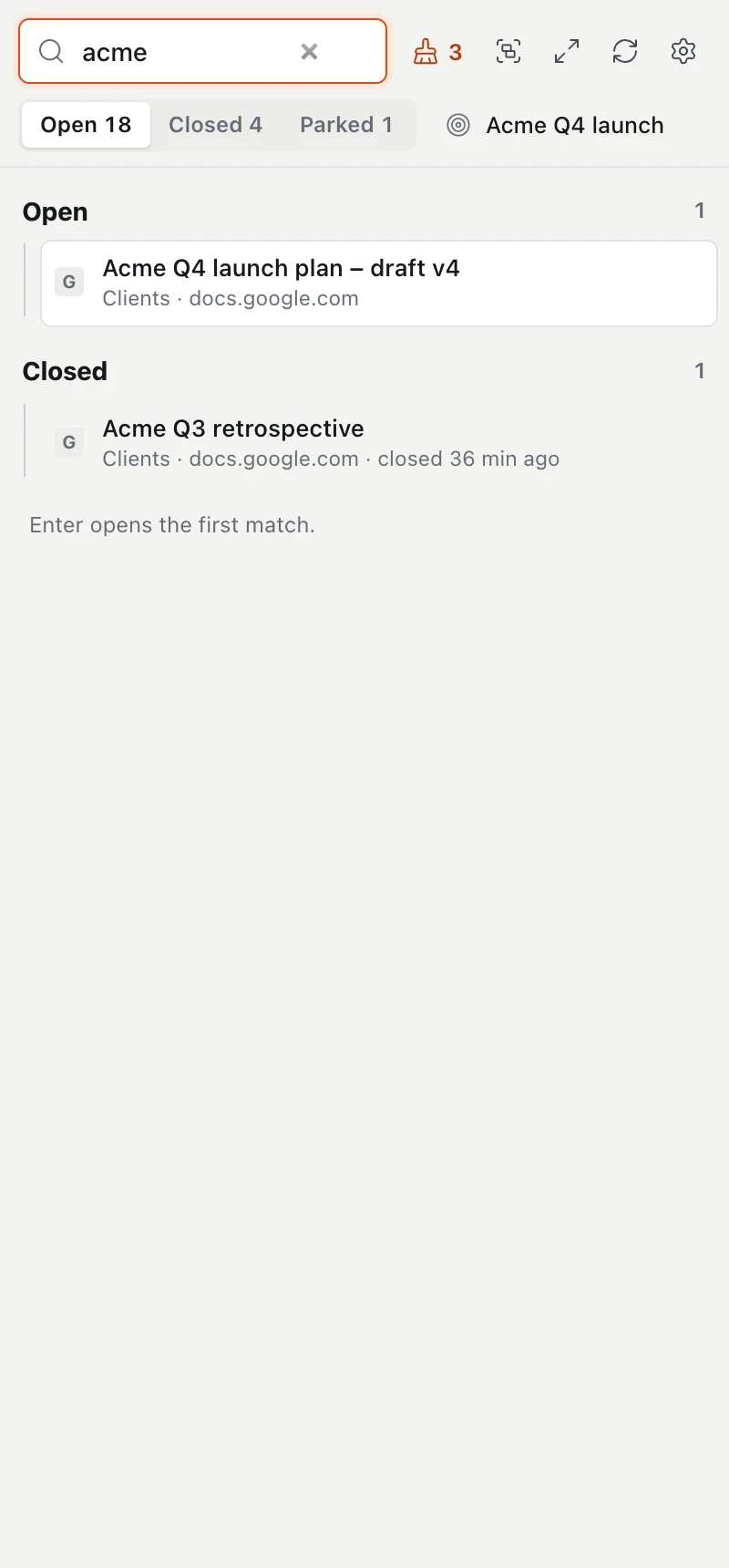
Search, closed tabs included
Type a word, and open and closed tabs show up together. Enter jumps to the best match and reopens it if it was closed.
MillionTabs remembers every closed tab in your browser for 90 days, up to 1,000 of them.
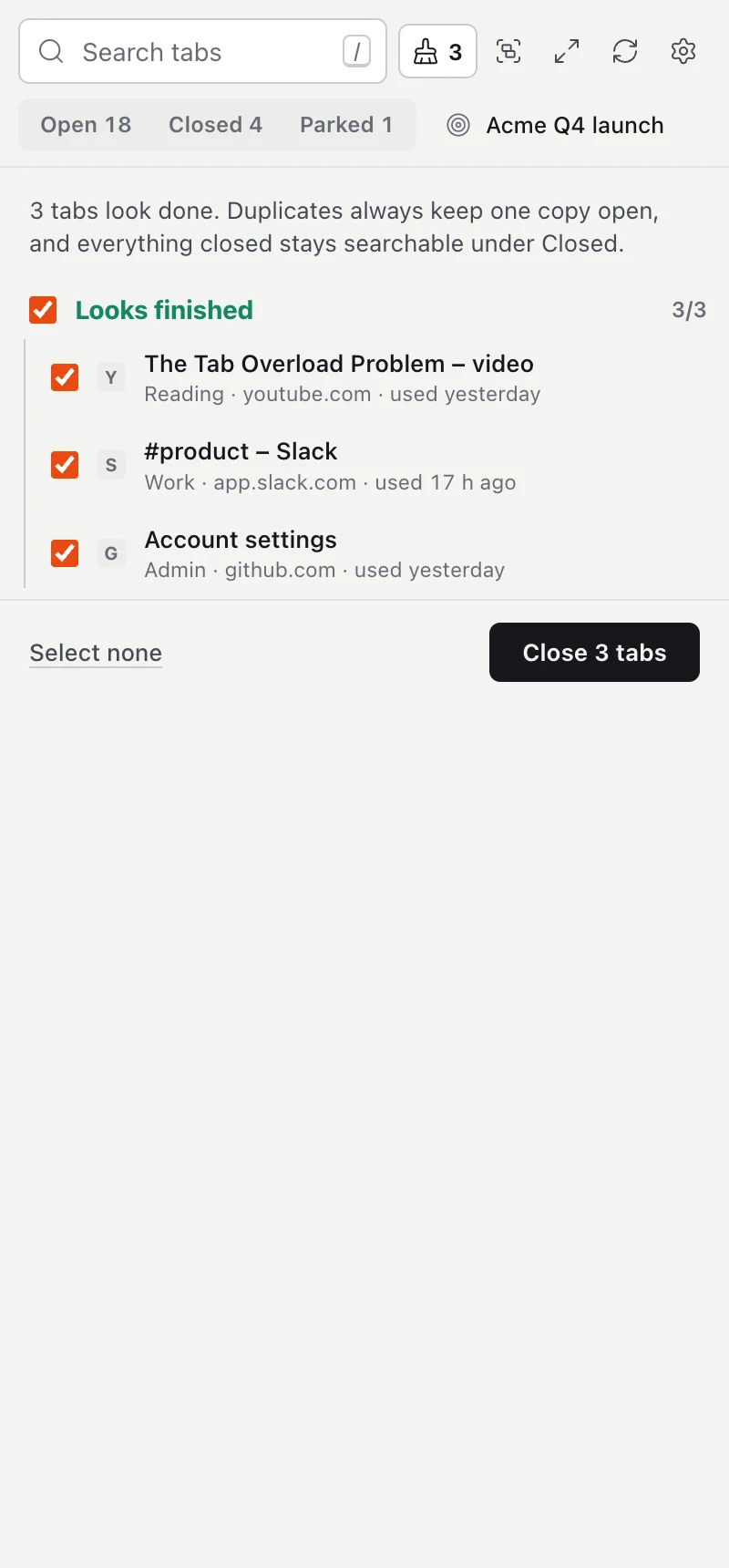
Tidy up in one click
Duplicates, finished pages and tabs you have not touched in a week, ready to close. One copy of every duplicate stays open.
Whatever you close is still there under “Closed”.
Park a project
Close a whole group and keep it as a project. When you get back to it, reopen all its tabs in a window of their own. If you like, MillionTabs also saves the project as bookmarks.
Arrange the tab bar
One click turns your groups into real tab groups in the browser’s tab bar, named and coloured as in MillionTabs. Settings has one click to remove them all again.
Quick search with ⌘ ⇧ K
The shortcut opens search over any page; on Windows and Linux it is Ctrl Shift K. Arrow keys, Enter, done.
In Chrome you can also use the address bar: type tb, space, then your search.
Your data, in plain words
MillionTabs has no server of its own and no user accounts. To file a tab, it asks TypeSafe (USA), using your key. Everything else stays in your browser.
Goes to TypeSafe (USA)
- Title and domain of each tab
- Your group names, their descriptions and what matters most to you
- Titles and domains of pages you filed by hand, as examples
- Only with page text on: the path of the address without parameters, the page’s description and metadata, and the first 1,000 or so characters of visible text
Stays in your browser
- Your API key and your settings
- Closed tabs and parked projects
- Your corrections and what MillionTabs learned from them
- Preview images for the tile view
Never read
- Incognito and private windows: the extension is not allowed to run there at all
- The browser’s own pages and PDF files
- The content of sites on your exclusion list. Common mail and banking sites are on it already
Page text is optional. Only when you switch it on does the browser ask whether MillionTabs may read the pages you visit. Without that permission, MillionTabs works from title and domain only.
We, the developers, receive none of this data. There is no tracking, no analytics and no advertising, on this website either.
Bring your own TypeSafe key
MillionTabs asks TypeSafe’s Jev model which group a tab belongs in and how much it matters. For that you need your own API key from TypeSafe.
TypeSafe bills your usage directly, at their prices. Your key is kept only in the extension’s storage in your browser. We never see it.
- Create a TypeSafe account and a key at console.typesafe.ai/keys.
- Install MillionTabs and open the side panel. The welcome screen shows you what goes where.
- Paste your key and test the connection. That’s it.
Questions 6
Which browsers does MillionTabs run in?
Chrome and Brave. Microsoft Edge works too: install MillionTabs from the Chrome Web Store. Edge asks once whether you want to allow extensions from other stores.
In Brave, open quick search with the keyboard shortcut; the tb address bar keyword is not reliable there. Firefox and Safari are not supported.
Which languages is MillionTabs available in?
English and German. MillionTabs follows your browser’s language.
Do I need an account with you?
No. All you need is an API key from TypeSafe. There is no account and no sign-up with us.
Does MillionTabs work without page text?
Yes. MillionTabs then sends only title and domain to TypeSafe. Filing is a little coarser; everything else works the same. You can switch page text off and on in Settings at any time, or exclude single sites.
How do I delete my data?
In Settings, under Delete all MillionTabs data. That removes closed tabs, corrections, parked projects and cached answers. Your settings and your key stay.
Uninstalling the extension removes everything, settings and key included. Data held by TypeSafe is managed in your TypeSafe account.
Where can I get help?
Write to info@milliontabs.de.